Why the Calorie Count on Your VR Fitness App Is Probably Wrong
Quick Answer: VR fitness apps estimate calories from headset and controller motion combined with generic average body weight — not from your heart rate or body composition — so the number usually runs high. Use it as a relative comparison between your own sessions, and wear a heart rate monitor if you want an actual intensity read.
You finish a 30-minute session, drenched, arms aching. The screen says 412 calories.
And because it’s a specific number delivered right after genuinely hard work, you believe it. You might even eat against it. That’s the problem — the number looks like a measurement and it’s actually closer to a guess.
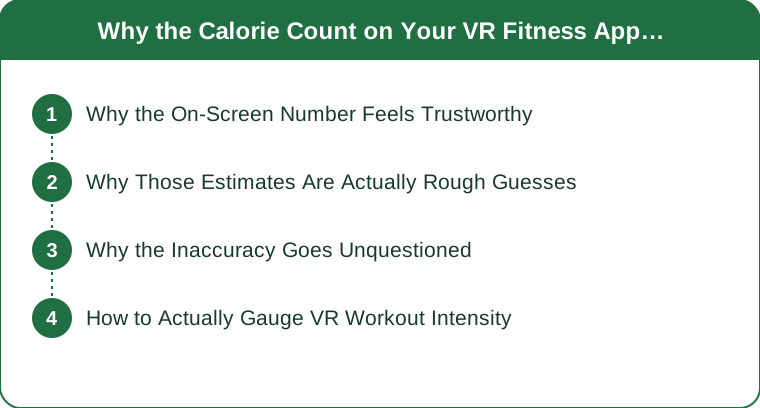
Why Does the On-Screen Number Feel So Trustworthy?
Three things conspire.
It’s specific. “412” reads as measured in a way “roughly 300-500” never would. Precision is a credibility signal even when it’s unearned.
It arrives at the moment of maximum belief. You just worked hard. You’re sweating. The number confirms what your body is already telling you, which is exactly when people stop asking questions.
It’s presented with the same visual authority as a gym machine or a fitness tracker. Same font weight, same confident placement. The interface doesn’t distinguish between a measured value and an estimate, so neither do you.
How Do VR Fitness Apps Actually Calculate Calories?
Here’s the part that matters: the headset doesn’t know anything about your body.
Most VR fitness titles estimate calorie burn from movement intensity detected through headset and controller motion — how fast and how far your hands and head are traveling — combined with a generic average body weight and an assumed metabolic rate.
What they don’t have:
- Your heart rate. The single best available proxy for exercise intensity, and the headset has no sensor for it.
- Your actual body weight. Some apps let you enter it; many use an average. Body weight is one of the largest single variables in energy expenditure.
- Your body composition, age, sex, or fitness level. A trained person and an untrained person doing identical movements burn measurably different amounts.
- Any idea of your effort. Arm motion is what’s tracked. Whether you’re moving those arms with tension and intent or flapping through the motions produces the same controller data.
That last one is the biggest gap. Two people can produce nearly identical controller telemetry with substantially different actual energy costs.
Why estimates tend to run high: upper-body-dominant movement is easy to detect and easy to overweight in a formula, and there’s no commercial incentive for an app to tell you that you burned less than you hoped.

Why Doesn’t Anyone Question It?
Because it’s plausibly wrong, which is the hardest kind of wrong to notice.
A high-intensity VR boxing or rhythm session genuinely does burn meaningful calories. If the real figure is 250 and the app says 400, that’s a 60% overestimate — but 400 doesn’t feel absurd for how hard you just worked. There’s no moment where the number is obviously ridiculous, so there’s no moment where you check.
Contrast that with an app claiming 2,000 calories from a 30-minute session. You’d laugh and never trust it again. The plausible overestimate survives precisely because it’s plausible.
Worth noting: this isn’t unique to VR. Wrist trackers and cardio machines are also broadly known to run inaccurate on calorie estimates, often by wide margins. VR just has less biometric data than either.
What Nobody Tells You About Fitness Calorie Counts
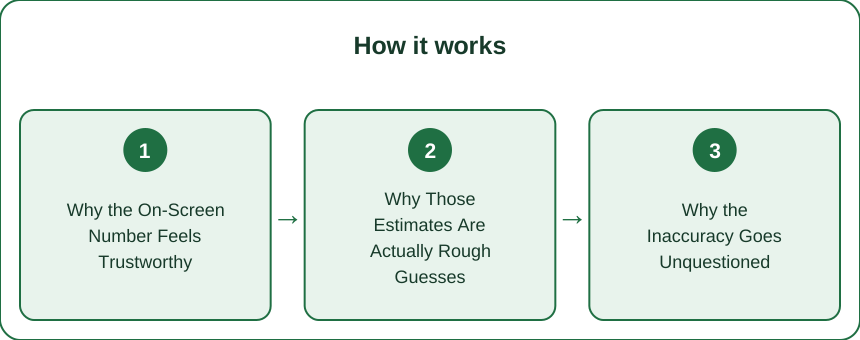
Relative beats absolute. The app’s number is genuinely useful for one thing: comparing your own sessions to each other. If Tuesday says 300 and Thursday says 450 in the same game, Thursday probably was harder. The ratio carries information even when the absolute value doesn’t.
Never eat against a device estimate. This is where inaccuracy stops being trivia and starts affecting results. If you’re eating back 400 estimated calories that were actually 250, you’ve quietly erased the deficit — and you’ll conclude that exercise “doesn’t work for you.”
A chest strap is the cheap fix. A chest-strap heart rate monitor runs roughly $40–70 and gives a far more grounded intensity read than any motion-based estimate. Wrist optical sensors are a step down but still better than nothing, though they struggle with the rapid arm movement VR games are built around — a chest strap is genuinely the better tool here.
Time-in-zone beats calories entirely. If you’re going to track one thing, track minutes spent with your heart rate elevated. It’s more reliable, more actionable, and maps directly onto public health activity guidelines.
VR fitness is real exercise, and that’s the honest headline. None of this means it doesn’t count. Consistency in something you’ll actually do beats precision in something you won’t — the number being soft doesn’t make the sweat fake. Grab a heart rate strap and a pair of high waist yoga leggings that stay put through lateral movement, and treat the on-screen count as a scoreboard rather than a nutrition input.
Mini FAQ
How inaccurate are VR fitness calorie counts?
There’s no single published figure across apps, but since they estimate from motion and generic averages rather than heart rate or body composition, meaningful overestimates are expected. Treat the number as a rough relative signal, not a measured value.
Do fitness trackers measure calories more accurately than VR apps?
Somewhat — wrist trackers at least incorporate heart rate, which is the single most useful input. They’re still widely reported to have significant error on calorie estimates, so the same “relative, not absolute” rule applies.
What should I track instead of calories?
Track minutes in an elevated heart rate zone and session frequency. Both are more reliable to measure, map onto standard activity guidelines, and are far more actionable than a soft calorie figure.
TL;DR:
- VR apps estimate calories from controller and headset motion + generic average weight — not heart rate or body composition.
- Estimates tend to run high, and they’re plausibly wrong, which is why nobody questions them.
- Use the number as a relative comparison between your own sessions only.
- Never eat back an estimated calorie figure — that’s where the error actually costs you.
- A $40–70 chest strap and tracking time in zone give you a real intensity picture.
Keep Reading
This article is for general informational and styling purposes only. Fit, sizing, and product availability may vary.