5 Steps to Actually Keep a VR Headset Clean After Sweaty Workouts
Quick Answer: A daily quick wipe with a designated antimicrobial cloth, a weekly deeper clean of the facial interface with isopropyl-alcohol wipes (avoiding the lenses), and a washable or replaceable facial cover are the core habits that keep a regularly-used VR fitness headset genuinely hygienic rather than just visibly clean.

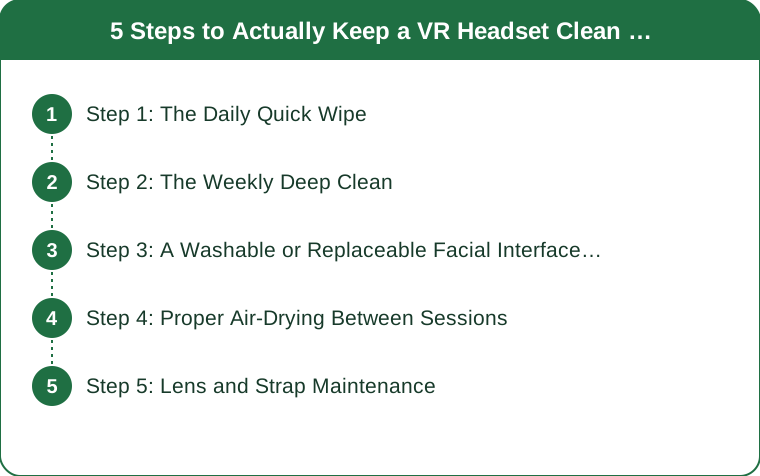
Step 1: The Daily Quick Wipe
Right after a sweaty session, wipe down the facial interface and foam padding with a dedicated antimicrobial cloth before the sweat has a chance to dry and set into the foam. This single habit, done consistently, prevents most of the odor and buildup issues that accumulate from letting sweat sit and dry repeatedly session after session.
Step 2: The Weekly Deep Clean
Once a week, use isopropyl-alcohol wipes on the hard plastic and rubber facial interface surfaces, being careful to keep alcohol away from the lenses specifically, since it can damage lens coatings over repeated exposure. This deeper pass addresses oil and bacteria buildup that a daily quick wipe alone doesn’t fully remove.

Step 3: A Washable or Replaceable Facial Interface Cover
A silicone or fabric facial cover, sold separately for most major headset models, adds a barrier between skin and the headset’s foam padding that can actually be washed or swapped out, rather than trying to fully clean foam that absorbs sweat directly. For frequent VR fitness users, this is one of the higher-value accessories specifically because foam padding is the hardest part of a headset to clean thoroughly.
Step 4: Proper Air-Drying Between Sessions
Letting the headset air dry fully, ideally not stored immediately in an enclosed case right after a sweaty session, prevents trapped moisture from encouraging bacterial growth in the padding. A headset stored damp in a closed case repeatedly is one of the more common causes of persistent odor that regular wiping alone doesn’t solve.

Step 5: Lens and Strap Maintenance
Lenses should be cleaned only with a microfiber cloth made for optics, never alcohol wipes or standard cloth, since lens coatings scratch and degrade easily. Straps, especially fabric ones, benefit from an occasional hand wash separate from the headset itself, since they absorb sweat directly during workouts just as much as the facial padding does.
How often should the facial interface cover actually be replaced?
For daily fitness use, replacing or thoroughly washing a fabric cover every few weeks is a reasonable guideline, depending on how quickly it shows wear or odor.
Can regular disinfectant wipes be used instead of specifically alcohol wipes?
Many standard disinfectant wipes work fine on hard plastic surfaces, but checking they don’t contain bleach or harsh solvents that could damage rubber or foam components is worth doing first.
Is headset odor mainly a hygiene issue or just an unavoidable part of VR fitness?
Mostly a hygiene and maintenance issue — consistent cleaning habits significantly reduce or eliminate persistent odor for most users, so it’s not something to just accept as unavoidable.
TL;DR:
- A daily quick wipe of the facial interface prevents sweat from setting into foam padding
- A weekly deeper clean with alcohol wipes on hard surfaces (not lenses) addresses buildup a daily wipe misses
- A washable facial cover accessory solves the hardest-to-clean part of most headsets
- Air-drying before storage prevents trapped moisture and the odor it causes
- Lenses need dedicated optic-safe cleaning only, never alcohol or standard cloth
A few consistent minutes after each session keeps a daily-use VR fitness headset genuinely clean, not just wiped down enough to look fine.
Keep Reading
This article is for general informational and styling purposes only. Fit, sizing, and product availability may vary.